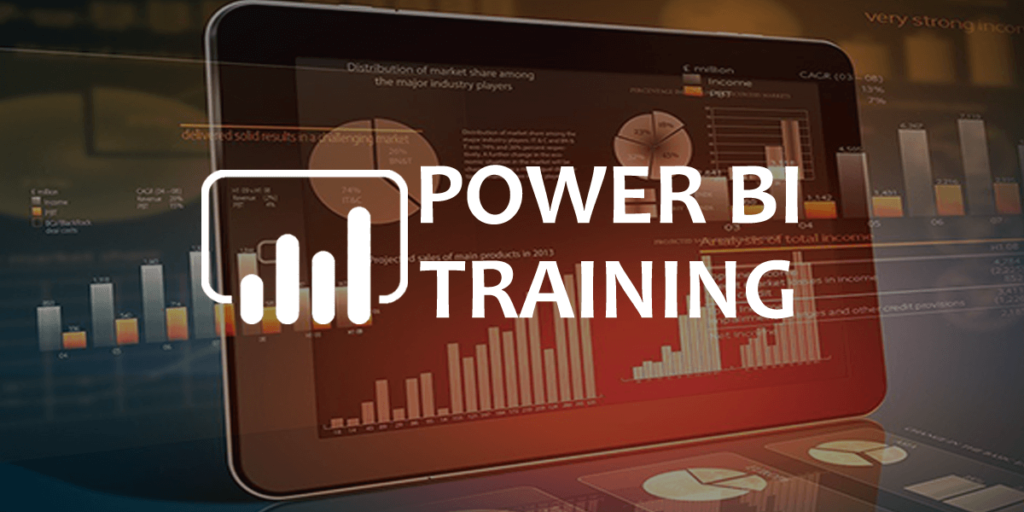
📊 Microsoft Power BI Online Training
Power BI is Microsoft’s premier business analytics solution that lets you visualize your data and share insights across your organization. It transforms disparate data sources into coherent, visually immersive, and interactive insights.
⚡ Program Highlights
-
30 Hours of Interactive Training: Master the art of data storytelling.
-
18 Practical Assignments: Hands-on practice with real-world data sets.
-
2 Live Projects: Build end-to-end BI solutions from data ingestion to dashboarding.
-
Expert Support: 24/7 access to technical mentors to help you overcome roadblocks.
🧭 Learning Roadmap
Transition from raw data to high-level business intelligence.
1. Data Connection & Transformation
-
Power Query: Learn to extract, transform, and load (ETL) data from Excel, SQL, and Cloud sources.
-
Data Modeling: Create relationships between different data tables to build a solid analytical foundation.
2. Visualization & Design
-
Basic Report Design: Master charts, maps, and tables.
-
Interactive Features: Use Visual Sync, Grouping, and Hierarchies to make reports “drillable.”
-
Advanced Storytelling: Implement Bookmarks and Tooltips for a professional user experience.
3. Power BI Service & Analytics
-
DAX (Data Analysis Expressions): Use formulas to create custom calculations and metrics.
-
Cloud Integration: Publish reports to the Power BI Service and explore Azure integration.
-
Dashboards: Create high-level summaries for executive decision-making.
🏆 Why Master Power BI with ITGuru?
-
Career Versatility: Whether you are a fresh graduate, a Business Analyst, or an IT professional, Power BI is a “force multiplier” for your resume.
-
DAX Mastery: We focus heavily on Data Analysis Expressions, the “secret sauce” that separates basic users from Power BI experts.
-
Certification Ready: Our curriculum is specifically mapped to help you clear the Microsoft PL-300 (formerly DAX-100) certification.
-
Placement Ecosystem: Benefit from our network of 200+ global companies looking for skilled BI developers.
🛠️ Key Training Features
-
Lifetime Access: Never lose your learning materials; the LMS is yours forever.
-
Case-Study Driven: Learn by solving actual business problems, such as sales forecasting or financial reporting.
-
Job Assistance: From resume building to passing your profile to recruiters in the US and India.
Curriculum
- 14 Sections
- 0 Lessons
- 30 Hours
- Module 1: Introduction to Power BI and Business IntelligenceThis module introduces Business Intelligence concepts and the Microsoft Power BI ecosystem. Students will learn about Power BI Desktop, Power BI Service, Power BI Mobile, and how organizations use data visualization and analytics to make informed business decisions.0
- Module 2: Power BI Architecture and Data SourcesStudents will explore Power BI architecture, data connectivity options, storage modes, and integration with various data sources such as Excel, SQL Server, Cloud Applications, APIs, and Enterprise Databases. The module focuses on connecting and managing data efficiently.0
- Module 3: Data Extraction and Power QueryThis module covers Power Query Editor, data extraction techniques, query transformations, data cleansing, profiling, merging, appending, and reshaping data. Students will learn how to prepare raw data for meaningful analysis.0
- Module 4: Data Modeling FundamentalsStudents will learn data modeling concepts including relationships, cardinality, star schema, snowflake schema, calculated tables, and data model optimization. The module focuses on building efficient and scalable analytical models.0
- Module 5: DAX (Data Analysis Expressions)This module introduces DAX formulas and calculations. Students will learn calculated columns, measures, aggregation functions, time intelligence functions, ranking functions, and advanced DAX techniques used for business reporting and analytics.0
- Module 6: Data Visualization and Report DevelopmentStudents will create interactive reports using charts, tables, matrices, maps, cards, gauges, slicers, and custom visuals. The module focuses on transforming data into visually appealing and actionable business insights.0
- Module 7: Dashboard Design and StorytellingThis module teaches dashboard creation, KPI development, bookmarks, drill-through reports, navigation, visual interactions, and storytelling techniques. Students will learn how to build executive-level dashboards that support decision-making.0
- Module 8: Advanced Analytics in Power BIStudents will explore forecasting, trend analysis, decomposition trees, key influencers, AI visuals, statistical analysis, and predictive analytics capabilities available within Power BI. The module focuses on extracting deeper insights from data.0
- Module 9: Power BI Service and Cloud FeaturesThis module covers publishing reports, workspace management, dashboards, apps, gateways, dataflows, scheduled refreshes, subscriptions, and collaboration features available in Power BI Service. Students will learn cloud-based analytics deployment.0
- Module 10: Security and GovernanceStudents will learn Row-Level Security (RLS), user permissions, workspace roles, data governance, access management, and enterprise security best practices. The module ensures secure sharing and management of business intelligence assets.0
- Module 11: Power BI Administration and Performance OptimizationThis module focuses on Power BI administration, performance tuning, model optimization, query optimization, monitoring, troubleshooting, and best practices for large-scale deployments. Students will learn how to maintain high-performing BI solutions.0
- Module 12: Power BI Integration and AutomationStudents will learn how to integrate Power BI with Excel, Power Apps, Power Automate, Azure Services, SQL Server, and other Microsoft technologies. The module also covers automation and workflow enhancement techniques.0
- Module 13: Real-World Projects and Case StudiesStudents will work on practical business scenarios involving sales analytics, financial reporting, HR analytics, customer analysis, inventory management, operational dashboards, and executive reporting. These projects provide hands-on industry experience.0
- Module 14: PL-300 Certification and Career PreparationThe final module focuses on Microsoft PL-300 certification preparation, interview questions, resume building, portfolio development, project presentation, and career guidance. Students will be prepared for roles such as Power BI Developer, Data Analyst, BI Consultant, Reporting Analyst, and Business Intelligence Developer.0
Courses you might be interested in

-
0 Lessons
-
0 Lessons
-
0 Lessons
-
0 Lessons